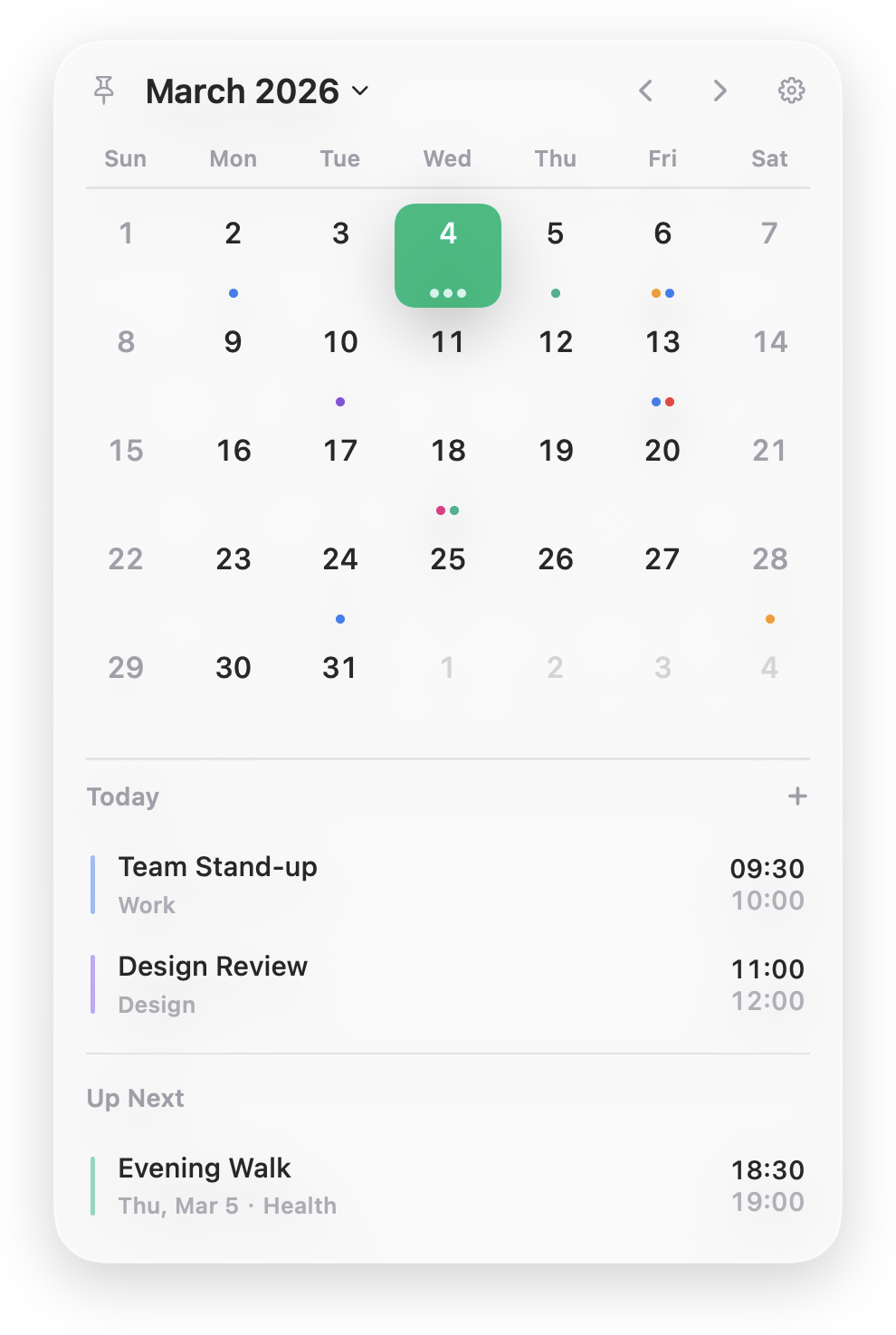
Tired of switching apps just to check your schedule? Lives in your macOS menu bar — no Dock icon, no window clutter. Your schedule is always one click away.
Lightweight, private, always one click away. iOS and Android support coming soon.
3Platforms
3Supported devices
7Languages
Checking your calendar shouldn’t mean switching apps, losing focus, or waiting for a web page to load. Your schedule should be one click away, no matter what you’re working on.
Lives in your menu bar. Your calendar, always one click away.
Core features
A calendar that stays out of your way
Your schedule, right in the menu bar. View, create, and manage events without leaving your current app.
Menu Bar Calendar
One click to see your day
Click the date in your menu bar and an elegant calendar popover appears. Compact month grid with event dots gives you the big picture, while the event list below shows upcoming items grouped by date and color-coded by calendar.
Quick Event Management
Manage events without switching apps
Create, edit, or delete events directly from the popover. Set title, date, time, location, and notes, or mark events as all-day. Fast, fluid, and distraction-free.
Calendar Sync
Works with your existing calendars
Connects through Apple Calendar (EventKit) — iCloud, local, and synced accounts work out of the box. Built-in demo calendar and Chinese holidays support included.
Always one click away
Lives in your menu bar. No Dock icon, no window clutter — your schedule is always just a click away.
Blazing fast & native
A polished, responsive macOS experience with smooth animations, keyboard shortcuts, and full accessibility support.
Your data stays local
Reads events directly from your local calendar provider. No cloud sync, no account creation, no data ever leaves your computer.
Frequently asked questions
What is DazzCal?
DazzCal is a lightweight macOS menu bar calendar app. It lives in your menu bar with no Dock icon, giving you one-click access to your schedule. Create, edit, and manage events without ever leaving your current app.
Does it work with my existing calendars?
Yes. DazzCal connects through Apple Calendar (EventKit), so iCloud, local, and synced accounts all work out of the box. It also includes a built-in demo calendar and Chinese holidays support.
Is my data private?
Absolutely. DazzCal reads events directly from your local calendar provider. No cloud sync, no account needed, and no data ever leaves your computer.
Can I customize it?
Absolutely. Choose from 4 accent colors, customize the menu bar display, toggle lunar calendar, pick your week start day, and switch between 12h and 24h time. It also offers a local API server for integrating with Raycast, Alfred, and other tools.